
Certificates
Monitor SSL/TLS certificates across your DNS estate — track expiry dates, detect hostname mismatches, identify weak keys, and manage certificate lifecycle.
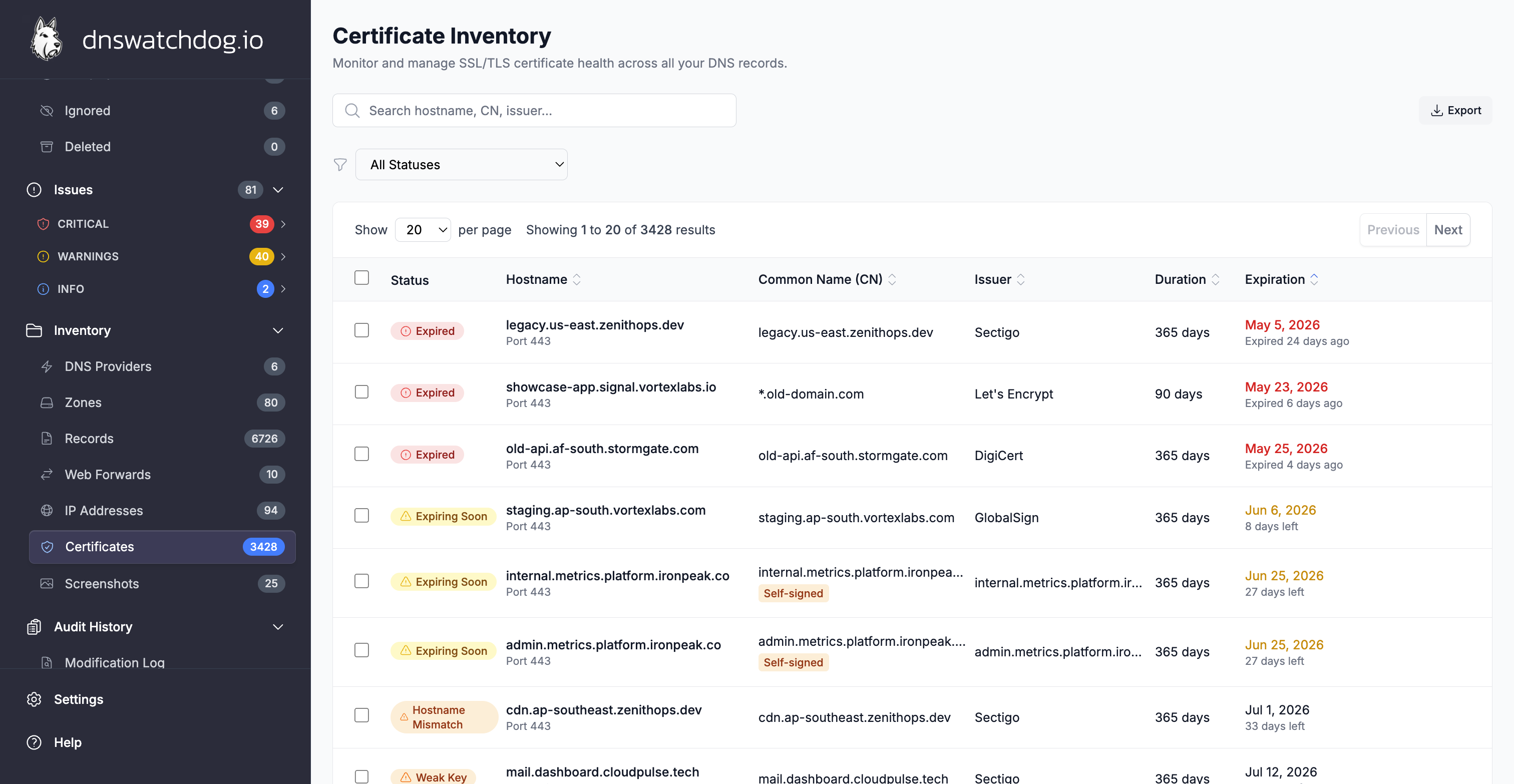
A Certificate represents an SSL/TLS certificate discovered during HTTPS scanning. DNS Watchdog scans every HTTPS-capable record for its certificate and analyses it for expiration, hostname mismatches, weak keys, and chain issues.
Certificates are deduplicated by fingerprint — if multiple records serve the same certificate (e.g. a wildcard certificate used across many subdomains), it appears once with links to all associated records.
Key fields
Identity
| Field | Description |
|---|---|
| Hostname | The hostname this certificate was retrieved from |
| Port | The port scanned (typically 443) |
| Common Name | The CN from the certificate subject |
| Subject Alternative Names | All SANs listed on the certificate — the hostnames the certificate is valid for |
| Associated Records | All DNS records that serve this certificate |
Subject details
| Field | Description |
|---|---|
| Organisation | Organisation name from the certificate subject |
| Organisational Unit | OU from the certificate subject |
| Country | Country code from the certificate subject |
| State | State or province from the certificate subject |
| Locality | City or locality from the certificate subject |
Issuer details
| Field | Description |
|---|---|
| Issuer Common Name | The CA that issued this certificate (e.g. "Let's Encrypt", "DigiCert") |
| Issuer Organisation | Organisation of the issuing CA |
| Issuer Country | Country of the issuing CA |
Validity and expiration
| Field | Description |
|---|---|
| Valid From | Certificate start date |
| Valid To | Certificate expiration date |
| Is Expired | Whether the certificate has already expired |
| Days Until Expiry | Countdown to expiration — negative if already expired |
| Duration Days | Total validity period in days |
Technical details
| Field | Description |
|---|---|
| Serial Number | Unique serial number assigned by the CA |
| Signature Algorithm | Algorithm used to sign the certificate (e.g. SHA256withRSA, SHA384withECDSA) |
| Fingerprint (SHA-256) | Unique hash used for deduplication across records |
| Key Type | Cryptographic key type: RSA or ECDSA |
| Key Size | Key length in bits (e.g. 2048, 4096 for RSA; 256, 384 for ECDSA) |
| Hostname Valid | Whether the certificate matches the hostname it was retrieved from |
| Is Self-Signed | Whether the certificate is self-signed (not issued by a trusted CA) |
Certificate chain
| Field | Description |
|---|---|
| Certificate Chain | Full chain of certificates from leaf to root |
| Chain Length | Number of certificates in the chain |
Management
| Field | Description |
|---|---|
| Scan Status | pending, completed, or failed |
| Scan Error | Error details if the certificate scan failed |
| Ignored | Whether this certificate has been marked as ignored |
| Ignored Reason | User-provided reason for ignoring (e.g. "internal service, self-signed is expected") |
| Ignored By | Who ignored the certificate and when |
Associated issues
| Issue | Severity | Description |
|---|---|---|
| Expired Certificate | Critical | Certificate has expired — browsers will show warnings and may block access entirely |
| Certificate Hostname Mismatch | Critical | Certificate does not match the hostname — indicates misconfiguration or a potential security issue |
| Certificate Expiring Soon | Warning | Certificate will expire within 30 days — renew to avoid service disruption |
| Weak Certificate Key | Warning | RSA key under 2048 bits or ECDSA key under 256 bits — vulnerable to brute-force attacks |
| Self-Signed Certificate | Info | Not trusted by browsers — consider using a certificate from a trusted CA |
Actions
- Ignore — mark a certificate as ignored with a reason (e.g. internal service)
- Unignore — remove the ignored status
- Bulk ignore / unignore — manage multiple certificates at once
Common tasks
How do I find certificates expiring soon?
The Certificates page shows days until expiry for each certificate. Sort by expiry date to see which certificates need renewal first. Certificates expiring within 30 days are flagged with a Certificate Expiring Soon warning.
How do I find all domains using a specific certificate?
Each certificate entry shows its Subject Alternative Names (SANs) and associated records. Click a certificate to see every DNS record that serves it — useful for understanding the blast radius of an expiring wildcard certificate.
How do I handle self-signed certificates?
If a self-signed certificate is expected (e.g. an internal service), use the Ignore action with a reason like "internal service, self-signed is expected". This suppresses the info-level issue without hiding other certificate problems.
How are certificates discovered?
DNS Watchdog scans every record that responds on port 443 (HTTPS). The SSL/TLS handshake is performed and the full certificate chain is captured and analysed. Certificates are deduplicated by SHA-256 fingerprint.
Records
View and manage all DNS records synced from your providers — filter by type, zone, or status, review scan results, archive stale records, and investigate security issues.
IP Addresses
View all resolved IP addresses across your DNS estate — deduplicated with ISP geolocation, open port data, associated domains, and infrastructure distribution analysis.