
Overview
How DNS Watchdog detects and classifies security issues.
DNS Watchdog continuously scans your DNS infrastructure and raises issues when it detects security risks. Each issue has a type, severity, and review status.
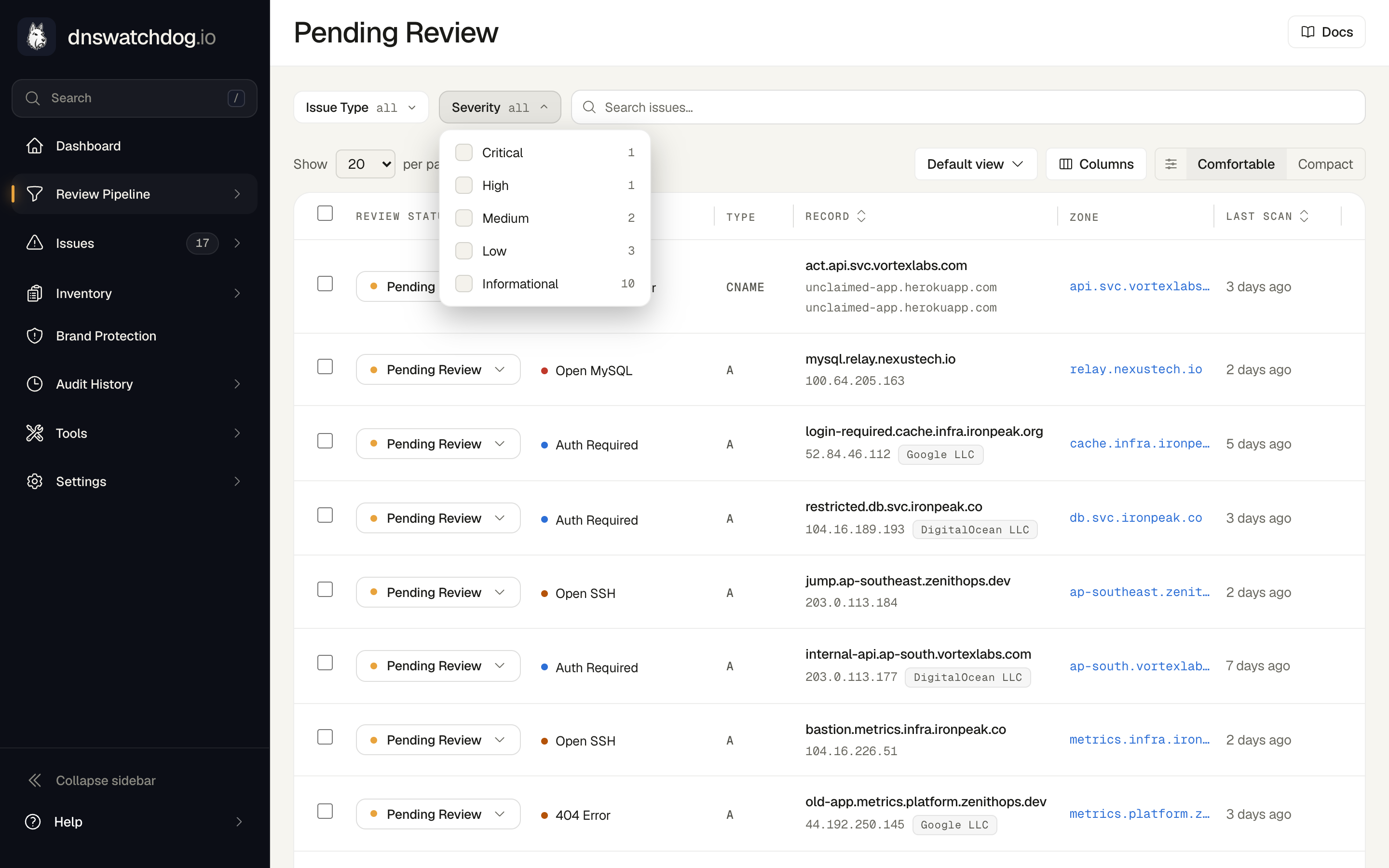
Severity levels
| Severity | Meaning |
|---|---|
| Critical | Active security risk requiring immediate action — direct compromise or takeover possible |
| High | Serious exposure or failed security control requiring prompt remediation |
| Medium | Material misconfiguration or weakened control that should be investigated |
| Low | Limited-impact hardening or operational issue to address when convenient |
| Informational | Expected or contextual observation for awareness only |
Review workflow
Every issue starts in Needs Review status. From there you can:
- In Review — mark an issue while you investigate
- Ignored — dismiss the issue if it's a known acceptable risk
- Resolved — the underlying condition is no longer detected
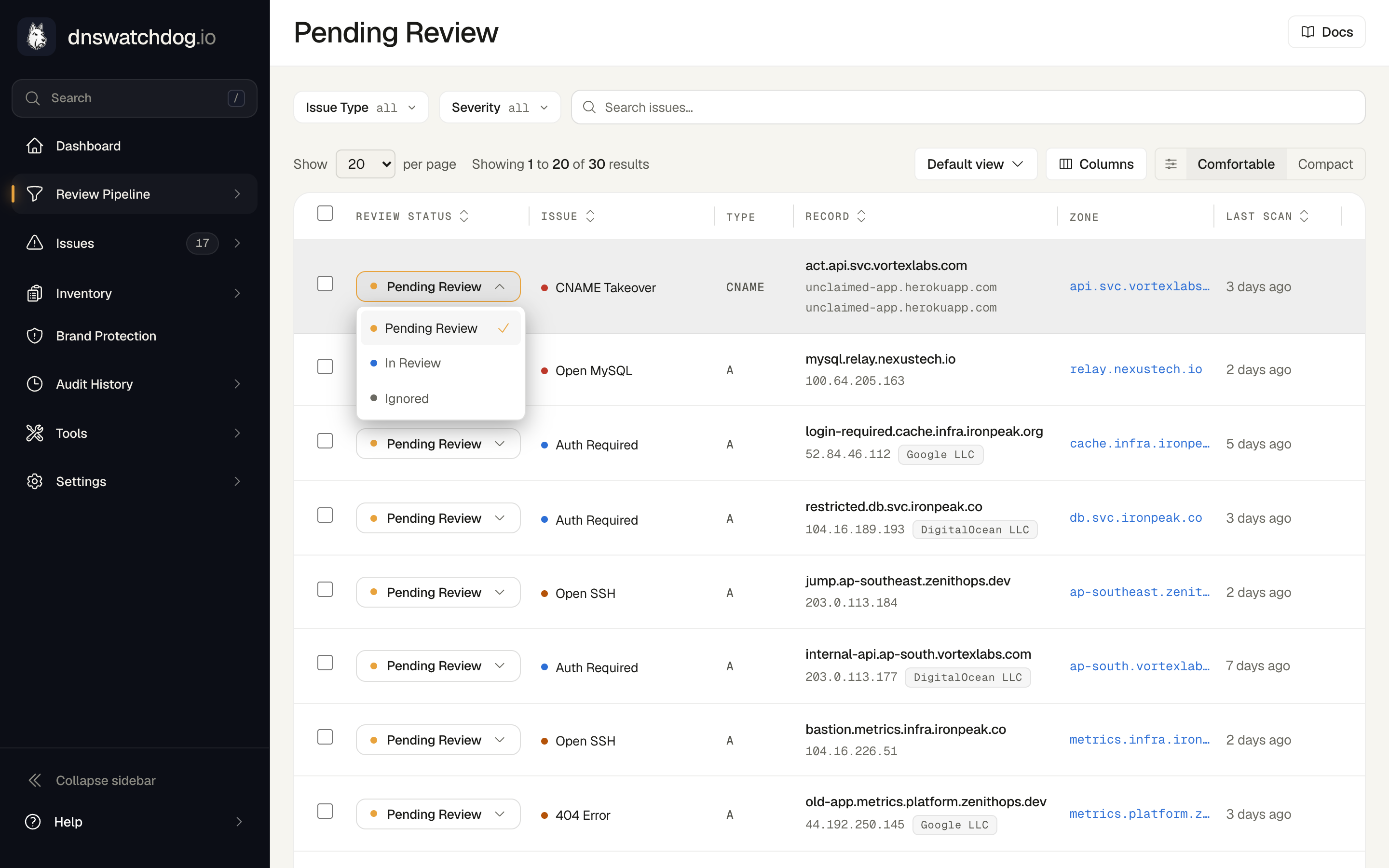
Brand Protection findings share the pipeline: a look-alike domain awaiting triage sits in Pending Review, one being watched or flagged in In Review, and an ignored one in Ignored with its reason, counted in the sidebar alongside DNS issues. They keep their own statuses and open on their own page, and they never affect the DNS health grade.
Issue categories
DNS Watchdog detects issues across several categories:
- Open Ports — exposed services like databases, remote access, and infrastructure ports
- Certificates — expired, expiring, mismatched, or weak SSL/TLS certificates
- HTTP — connection errors, server errors, weak TLS, and missing HTTPS redirects
- DNS — dangling subdomains, CNAME takeover vulnerabilities, broken delegations, non-authoritative zones, and broken redirects
- Email Authentication — SPF, DKIM, DMARC, MTA-STS, and MX validation issues
Filtering
Use the sidebar or filter controls to narrow issues by:
- Severity (critical, high, medium, low, informational)
- Issue type (e.g.
dangling_subdomain,certificate_expired) - Review status (needs review, in review, ignored)
- Zone or record
Daily scans
Scans run automatically every day. New issues appear when detected, and resolved issues are cleared when the underlying condition is no longer present.