
Providers
View and manage your connected DNS providers — see connection status, zone counts, sync history, and credential health for Route 53, Cloudflare, CSC, Azure DNS, Google Cloud DNS, and UltraDNS.
A Provider represents a DNS hosting account — the service where your zones and records live. DNS Watchdog connects to provider APIs to discover zones, sync records, and detect changes. Providers are the top-level entry point for your inventory.
After connecting a provider, DNS Watchdog automatically discovers all zones under that account and begins syncing records. Each provider tracks its own sync status, error state, and zone count.
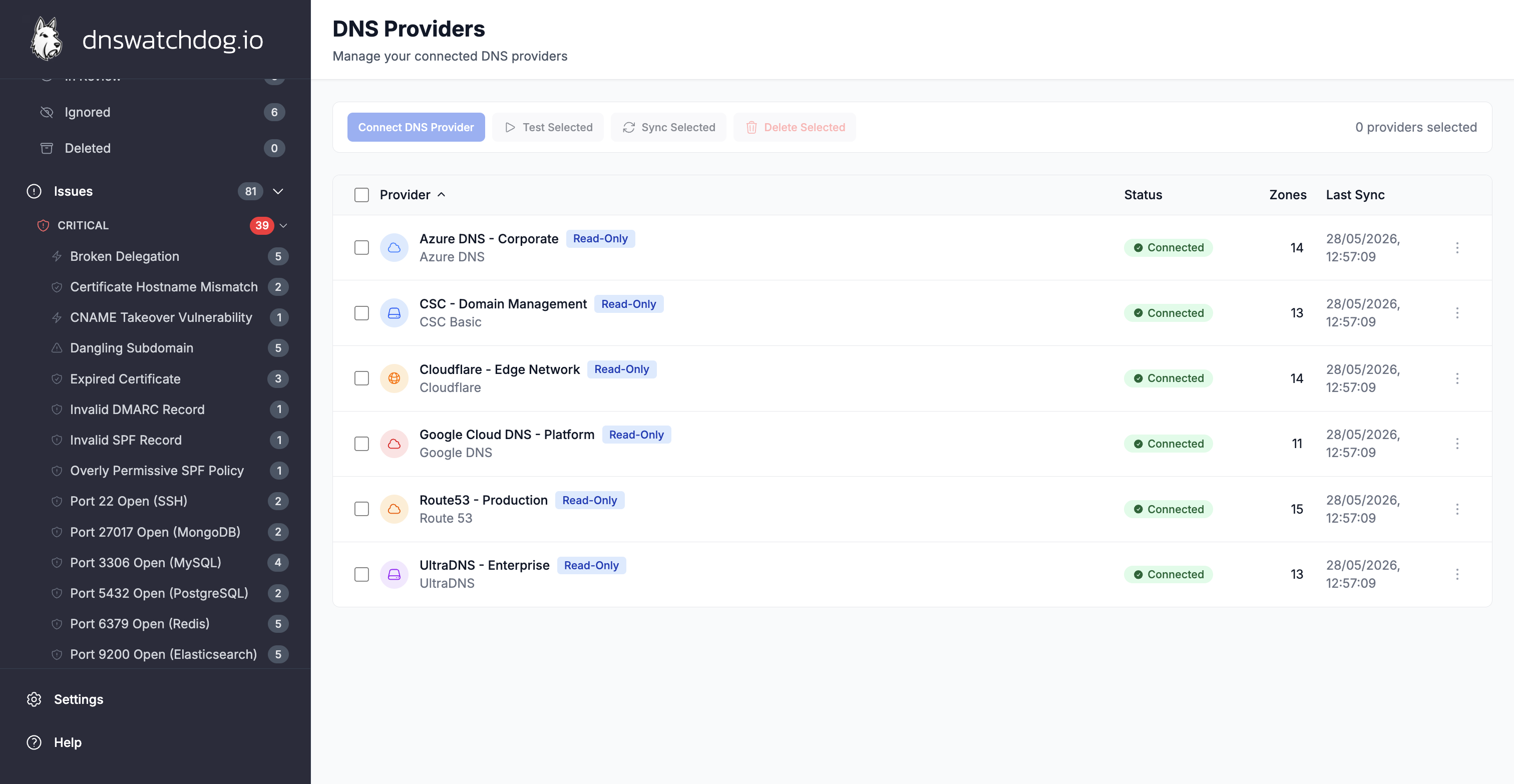
Supported providers
| Provider | Description |
|---|---|
| AWS Route 53 | Requires IAM credentials with read access to Route 53 |
| Cloudflare | API token with zone read permissions |
| CSC Basic | Read-only; multilocked zones require a phone call to unlock |
| Vercara UltraDNS | Supports web forwards (DNS redirects) |
| Azure DNS | Service principal credentials |
| Google Cloud DNS | Service account key |
DNS Watchdog also supports passive reconnaissance sources like DNS Dumpster and Findomain for subdomain enumeration.
Key fields
| Field | Description |
|---|---|
| Name | Display name for the provider (e.g. "Production AWS") |
| Provider Type | One of the supported provider types listed above |
| Status | Current state: pending, active, error, or syncing |
| Enabled | Whether automatic syncing is active for this provider |
| Zone Count | Number of zones discovered under this provider |
| Last Sync | Timestamp of the most recent successful sync |
| Error Message | Details when status is error — typically invalid credentials or API rate limits |
| Read-Only | Whether the provider connection is read-only (cannot modify records) |
Provider status
- Pending — provider has been added but initial sync hasn't completed
- Active — provider is connected and syncing normally
- Syncing — a sync operation is currently in progress
- Error — the last sync failed (check the error message for details)
Associated issues
Providers themselves do not have issues raised directly against them. Issues are raised against the resources they contain — zones, records, certificates, and IP addresses. However, a provider in error status indicates a connectivity or credential problem that prevents scanning and should be addressed promptly.
See Configuration → Providers for setup instructions for each provider type.